AIO radiator mounting position and clearance
Will a 360mm AIO fit? Check where your case supports it
A 360mm radiator rating can apply to the front rather than the roof. Use the original CORSAIR 4000D and an ARCTIC drawing to check the position and full cooler envelope.
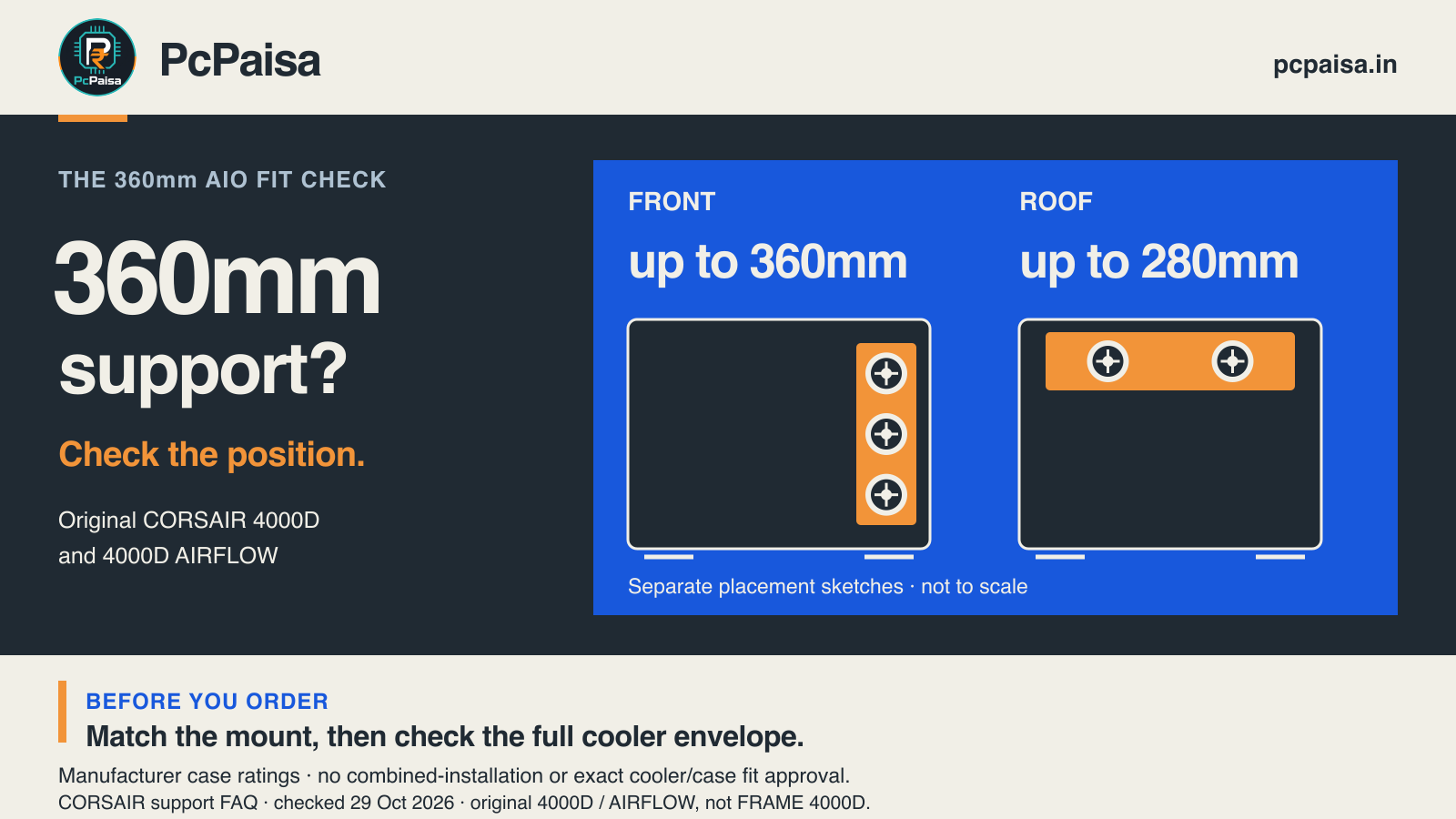
A case that supports a 360mm radiator may support it at the front rather than the roof. Before buying an all-in-one liquid cooler, match the exact case and intended mounting position, then check the cooler’s full envelope and the components around it.
The original CORSAIR 4000D makes the distinction clear. An ARCTIC cooler’s technical documents show why the dimensions need a second look too. These are manufacturer-document checks, not a tested combination or a recommendation to buy either product.
First check: which mounting position?
CORSAIR’s support FAQ gives these limits for the original 4000D Tempered Glass and its AIRFLOW variant:
| Case location | Published radiator size support |
|---|---|
| Front | Up to 360mm |
| Roof | Up to 280mm |
A quote that says only “4000D + 360mm AIO” leaves the intended location unspecified. The FAQ’s front rating does not establish roof support for that cooler. It also does not prove that an exact radiator, fan, board and memory arrangement fits together.
Keep the case generation on the quote. FRAME 4000D is a different product; do not transfer the original case’s table to it. The two positions in our illustration are separate alternatives, not a checked simultaneous installation.
Second check: what does the size label leave out?
Consider the non-RGB ARCTIC Liquid Freezer III Pro 360, ACFRE00180A. Its manufacturer specification sheet lists a radiator measuring 398 × 120 × 38 mm and three P12 Pro fans. The P12 Pro drawing labels the fan-body thickness as 25 mm.
The model’s “360” label therefore does not mean that the complete radiator is exactly 360 mm long. Treat the size category as a first filter, then read the outside dimensions of the exact cooler.
A thickness calculation is useful, with a clear limit:
38 mm radiator + one 25 mm fan layer = 63 mm nominal component-thickness sum.
Three fans sit beside one another along this radiator, so this is one fan layer, not three layers of thickness. ARCTIC’s product page separately says installation requires at least 63 mm of clearance. Keep “at least” in the buying discussion; a gap of exactly 63 mm has not been approved by our arithmetic.
What the full drawing adds
The exact cooler’s 2D drawing, page 2 labels 397.0 mm along the radiator and 66.0 mm across the illustrated side-view assembly. The side-view dimension reaches above the fan body to the illustrated fastener level, while the separate 25 mm and 38 mm labels describe component thicknesses.
That is why a component sum should not be presented as the entire pictured envelope. We have not established why the drawing’s 397.0 mm length differs from the specification sheet’s 398 mm, or measured a physical unit. If a millimetre-level margin decides the purchase, resolve the exact revision and installed dimensions with the manufacturer rather than choosing the smaller number.
Third check: what else occupies that space?
A supported radiator class does not describe every nearby obstruction. For example, Fractal’s original North radiator FAQ specifies a 35 mm maximum motherboard-component height for top radiator mounting and asks buyers to check RAM height. It also warns that front 360mm radiators can interfere with 3.5-inch drive mounting, depending on the drive arrangement.
Those are examples of additional case constraints, not facts to transfer to the 4000D, North XL or North Momentum Edition. For your own build, check the actual documentation for RAM and heatsink clearance, the GPU/drive layout, mounting hardware, fittings and tube routing. Follow the cooler’s installation instructions and supported orientation.
Put four details on the build quote
- Exact case and generation: a full model name, not only a family nickname.
- Exact cooler and intended mount: record the part number and front, roof or other supported location.
- Documented envelope: outside radiator dimensions, fan arrangement and the complete assembly drawing; retain any unresolved document differences.
- Surrounding parts: the actual motherboard, RAM, GPU and drive arrangement, checked against the relevant installation and clearance guidance.
The case’s official support list remains a useful first filter. This check gives that list the missing context; it does not require every buyer to reverse-engineer a case. When a fit is tight or the documents disagree, ask for a documented answer before paying.
The practical question for an assembler is: “Where will this exact cooler mount, and what full clearance have you checked there?” That is more useful than a bare “360mm supported” line.
Primary sources checked 29 October 2026. Dimensions and capacity ratings above are manufacturer statements or explicitly labelled arithmetic. No physical fit, cooling, noise, price or compatibility test was performed by PcPaisa.
Put your shortlist to work
Catch a price drop on your next PC part.
Follow our Telegram channel for selected Indian PC-part price-drop alerts from PcPaisa’s tracked price history.
Join Telegram deal alerts