CPU integrated graphics and motherboard display outputs
Can a Ryzen 5 7500F use the motherboard HDMI port? Check the graphics first
A motherboard HDMI socket does not supply integrated graphics. Compare the Ryzen 5 7500F and 7600 display paths before planning a PC without a graphics card.
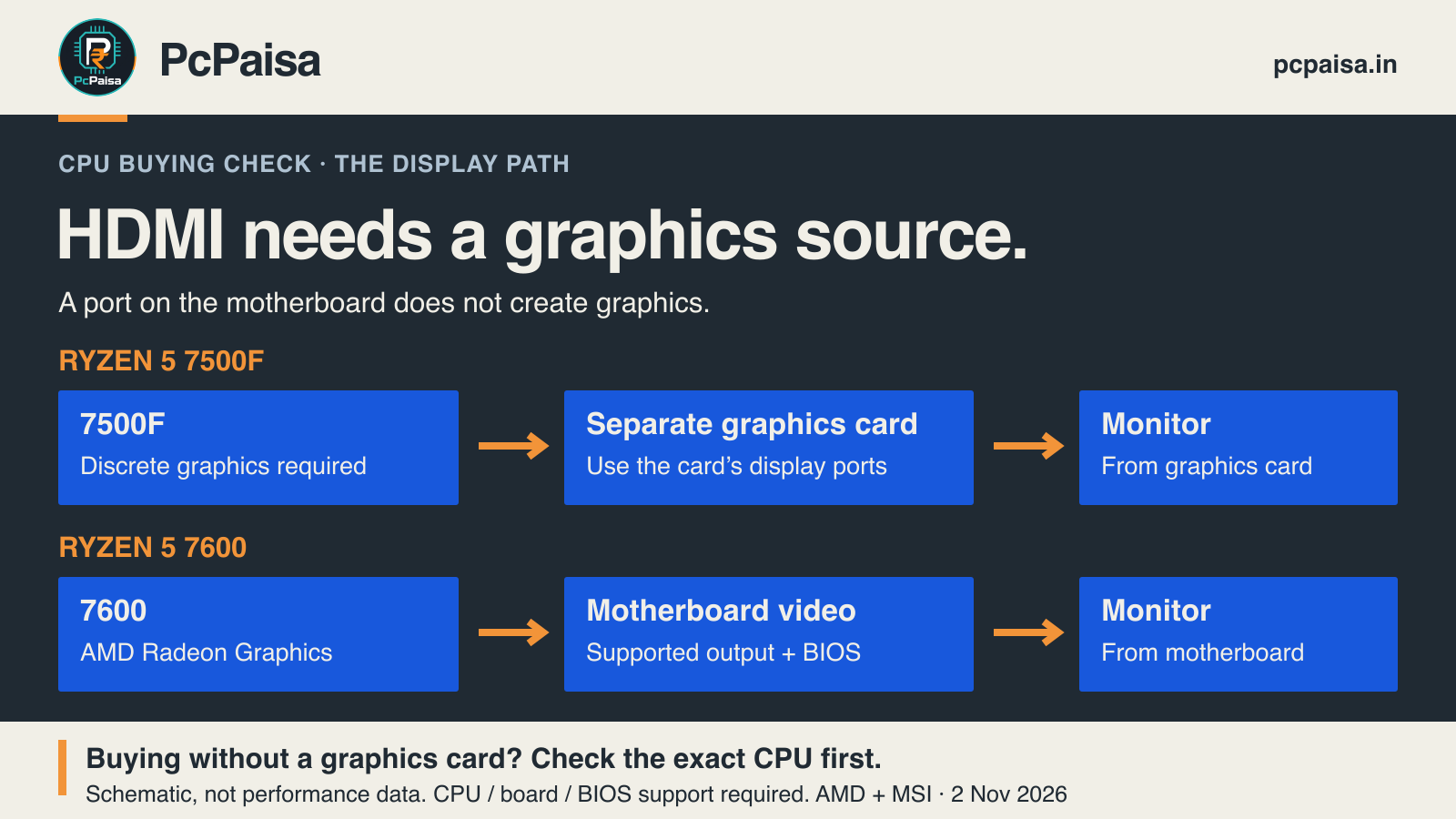
The Ryzen 5 7500F needs a separate graphics card for display output. Plugging a monitor into a motherboard HDMI socket does not remove that requirement. If the plan is to buy the PC now and add a graphics card later, check the exact CPU’s graphics specification before paying for the first stage.
This is a real buying decision. An Indian buyer asked about building without a graphics card and adding a used one later. That question shows one person’s intended purchase sequence, not how common it is. The technical answer comes from the manufacturers.
Two Ryzen 5 models, different display requirements
AMD’s specification for the Ryzen 5 7500F states “Discrete Graphics Card Required” under Graphics Model. The Ryzen 5 7600, by contrast, lists AMD Radeon Graphics.
| Exact processor | Manufacturer graphics specification | Display path to plan |
|---|---|---|
| AMD Ryzen 5 7500F | Discrete graphics card required | Separate graphics card, with the monitor connected to the card |
| AMD Ryzen 5 7600 | AMD Radeon Graphics | Integrated graphics through a supported motherboard display output; verify board and BIOS support |
This comparison establishes whether those processors supply integrated graphics. It does not establish gaming performance, application suitability or a complete compatible build. The 7600’s graphics entry should not be read as a promise that it meets a particular game’s frame-rate target.
Why the motherboard’s HDMI socket is not enough
Look at a named example rather than a photograph of the rear panel. MSI’s B650M GAMING WIFI specification lists HDMI and DisplayPort outputs, then qualifies their availability: the installed processor must feature integrated graphics, and graphics specifications depend on that processor.
The socket is a connection in the display path. Its presence does not mean the board supplies the graphics capability missing from a 7500F. The “Onboard Graphics” heading in a motherboard specification therefore needs its footnote as well as its list of connectors.
MSI’s display troubleshooting guidance makes the connection choice explicit: use the motherboard’s output for processor graphics, or connect the monitor to the separate graphics card when using that card. It also directs buyers to the motherboard’s exact CPU support list and notes that some processors need a particular BIOS version. Matching the socket name alone does not finish the compatibility check.
Is a CPU without integrated graphics a bad purchase?
No. If a suitable separate graphics card is already part of the working system, a processor without integrated graphics can still fit the plan. The missing graphics does not by itself establish that the CPU is slower, faster or worse value.
The trade-off matters when that card is absent: during a staged purchase, for example, or while the card is away for service. Integrated graphics can provide a separate display route in a supported configuration. Whether paying for that option is worthwhile depends on the current quote and how much you need that route. This article has not collected current prices, so it makes no savings claim or price-based CPU recommendation.
For a work PC, ask a practical question: does the quote include a supported way to display the desktop on the day the machine is delivered? “Graphics card to be bought later” is an incomplete answer if the selected CPU needs that card now.
Put the display path on the quote
Before ordering, record three things:
- Exact CPU model and graphics entry. Read the manufacturer’s product page. Intel also defines the desktop F suffix as requiring discrete graphics; do not treat one brand’s naming clue as a substitute for another exact model’s specification.
- Exact motherboard and support conditions. Check its CPU support list, required BIOS and display-output qualifications. A board listing HDMI is insufficient on its own.
- Where the monitor cable will connect. Name the motherboard output or the installed graphics card’s output, then check the monitor input and cable for the intended display mode.
That short record makes a phased purchase easier to inspect. If no supported display path is present in the first delivery, resolve it before ordering rather than discovering the missing part at setup.
Manufacturer documentation checked 2 November 2026. No hardware was tested for this article, and no current price, stock, gaming result or complete-system compatibility is claimed.
Put your shortlist to work
Catch a price drop on your next PC part.
Follow our Telegram channel for selected Indian PC-part price-drop alerts from PcPaisa’s tracked price history.
Join Telegram deal alerts