DDR5 CAS latency in cycles versus nanoseconds
DDR5-6000 CL30 vs 6400 CL32: why both calculate to 10ns
Lower CL alone does not mean less time. Compare two exact Kingston DDR5 profiles, calculate their nominal CAS timing and check the active profile before paying a premium.
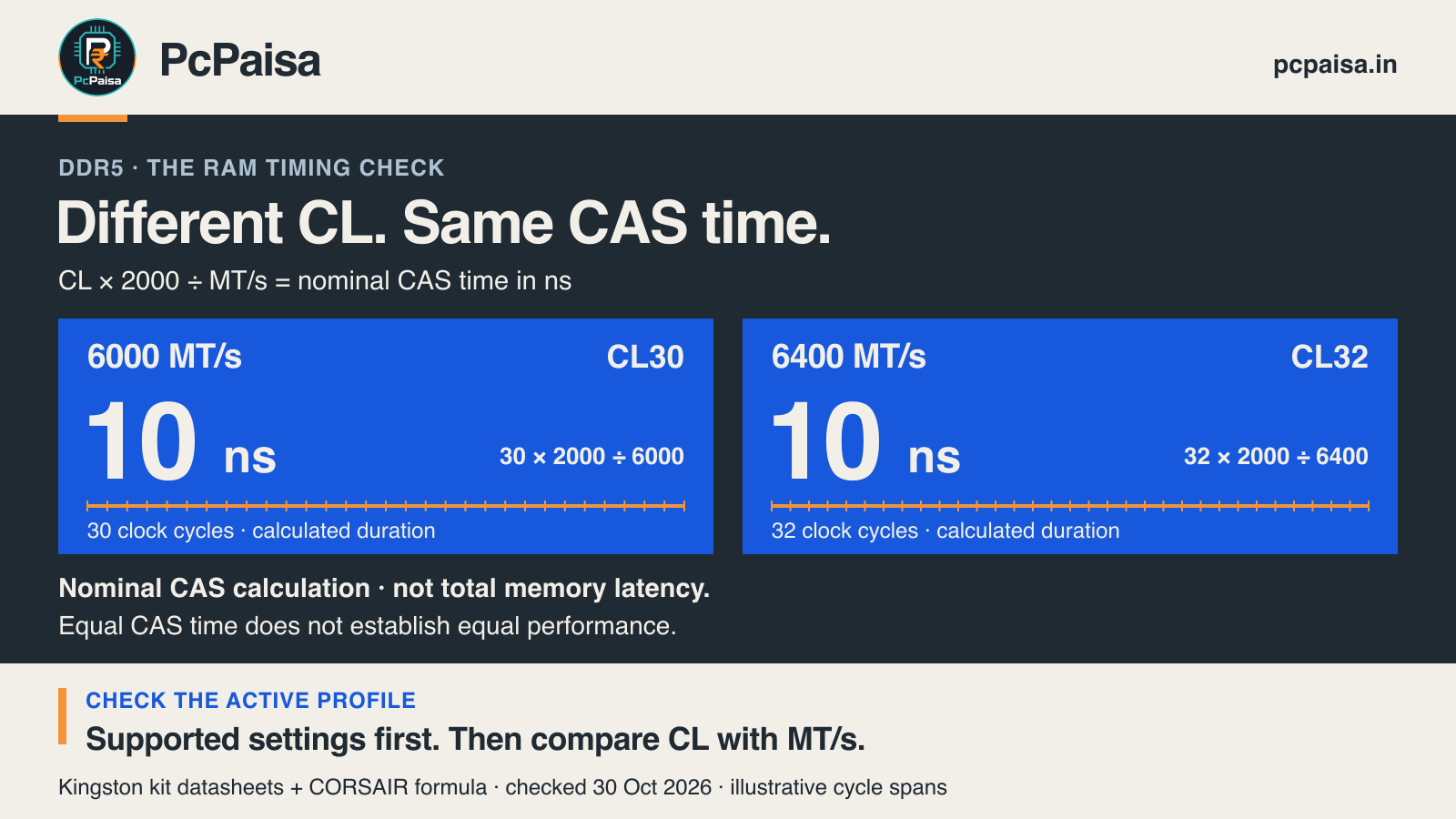
DDR5-6000 CL30 and DDR5-6400 CL32 both calculate to 10ns of nominal CAS timing. The CL number counts clock cycles; the transfer rate helps determine how long those cycles take. Comparing CL30 with CL32 on its own misses that second input.
For an Indian PC buyer comparing two build quotes, this is a useful check before paying a RAM premium. It does not select a winning kit: bandwidth, other timings, the memory controller and the actual workload still matter.
Convert cycles into time
For DDR memory, calculate the nominal CAS component as:
CAS time in nanoseconds = CL × 2000 ÷ transfer rate in MT/s.
CORSAIR documents this conversion. DDR transfers data twice per clock, so 6000MT/s corresponds to a 3000MHz memory clock. Thirty cycles at that clock take 10ns. At 6400MT/s, the clock is 3200MHz; thirty-two cycles also take 10ns.
This calculates one timing component. It is not a measurement of complete CPU-to-memory access latency, an application response time or an FPS prediction. Avoid relabelling it as a measured “RAM latency” result.
Two exact profiles you can inspect
These examples come from two Kingston FURY kit datasheets. Both kits contain two 16GB modules, for 32GB total. The table uses each kit’s documented EXPO Profile #0 or XMP Profile #1; it does not claim that either profile will run on an unspecified PC.
| Exact kit and documented profile | Published transfer rate and timings | CAS calculation |
|---|---|---|
| KF560C30BBEK2-32 — EXPO #0 / XMP #1 | 6000MT/s, 30-36-36, 1.4V | 30 × 2000 ÷ 6000 = 10ns |
| KF564C32BBEK2-32 — EXPO #0 / XMP #1 | 6400MT/s, 32-39-39, 1.4V | 32 × 2000 ÷ 6400 = 10ns |
Open the 6000 kit datasheet and the 6400 kit datasheet to inspect the full parameters. Both are Rev. A documents dated 15 February 2024, retrieved for this article on 30 October 2026.
The useful conclusion is narrow: CL32 does not mean a longer calculated CAS time in this comparison. It does not establish that the two kits perform identically.
The active profile changes the comparison
The same datasheets list a default JEDEC profile of 4800MT/s, CL40, 1.1V for both kits. That profile calculates to about 16.67ns: 40 × 2000 ÷ 4800. This is another calculation, not a measurement of your installed RAM.
The 6400 kit also lists a 6000MT/s CL30 profile as EXPO #1 / XMP #2. One kit can therefore offer more than one advertised operating point. A box rating alone does not tell you which point a completed PC is using.
Before ordering, check the exact CPU, motherboard, BIOS, module population and supported profile against the relevant documentation. After assembly, ask the builder to record the actual transfer rate and timings from the configured system. Follow the platform’s setup instructions; enabling a profile is not universal compatibility approval. Kingston warns that some boards or system configurations may not operate at its published speeds and timings.
Why the higher transfer rate can still matter
The strongest counterargument to “both are 10ns” is that the two inputs describe more than CAS time. 6400MT/s is about 6.7% higher nominal transfer rate than 6000MT/s: (6400 ÷ 6000 − 1) × 100. That is a specification comparison, not a measured bandwidth or performance gain.
The other primary timing numbers differ too. Equal CAS calculations cannot settle how the full memory subsystem behaves, or whether a particular game, renderer or development workload benefits. Use relevant benchmarks with a stated CPU, board, settings and workload to judge a performance premium. We have not run those tests here, so this article gives neither kit a performance or value ranking.
Put the operating point on the quote
Ask for the full kit code, capacity and module count, supported target profile, and configured transfer rate/timings at handover. Compare the final local price only after those details match your requirements.
If a seller’s explanation is simply “CL30 is faster than CL32”, ask: “At which transfer rate, on which supported profile?” Save the formula for the next RAM comparison, and keep the resulting CAS time separate from the application’s measured performance.
Primary documents checked 30 October 2026. All time values and the transfer-rate percentage above are calculations from published specifications. PcPaisa has not tested these kits, measured system latency, verified Indian stock/prices or approved an exact CPU/motherboard configuration.
Put your shortlist to work
Catch a price drop on your next PC part.
Follow our Telegram channel for selected Indian PC-part price-drop alerts from PcPaisa’s tracked price history.
Join Telegram deal alerts