SSD upgrades
PCIe 4 vs PCIe 5 SSD for gaming: where should Indian buyers spend?
Should your gaming PC get more SSD capacity or PCIe 5 speed? Compare Samsung's rated specs, independent game-loading evidence and your actual checkout cost.
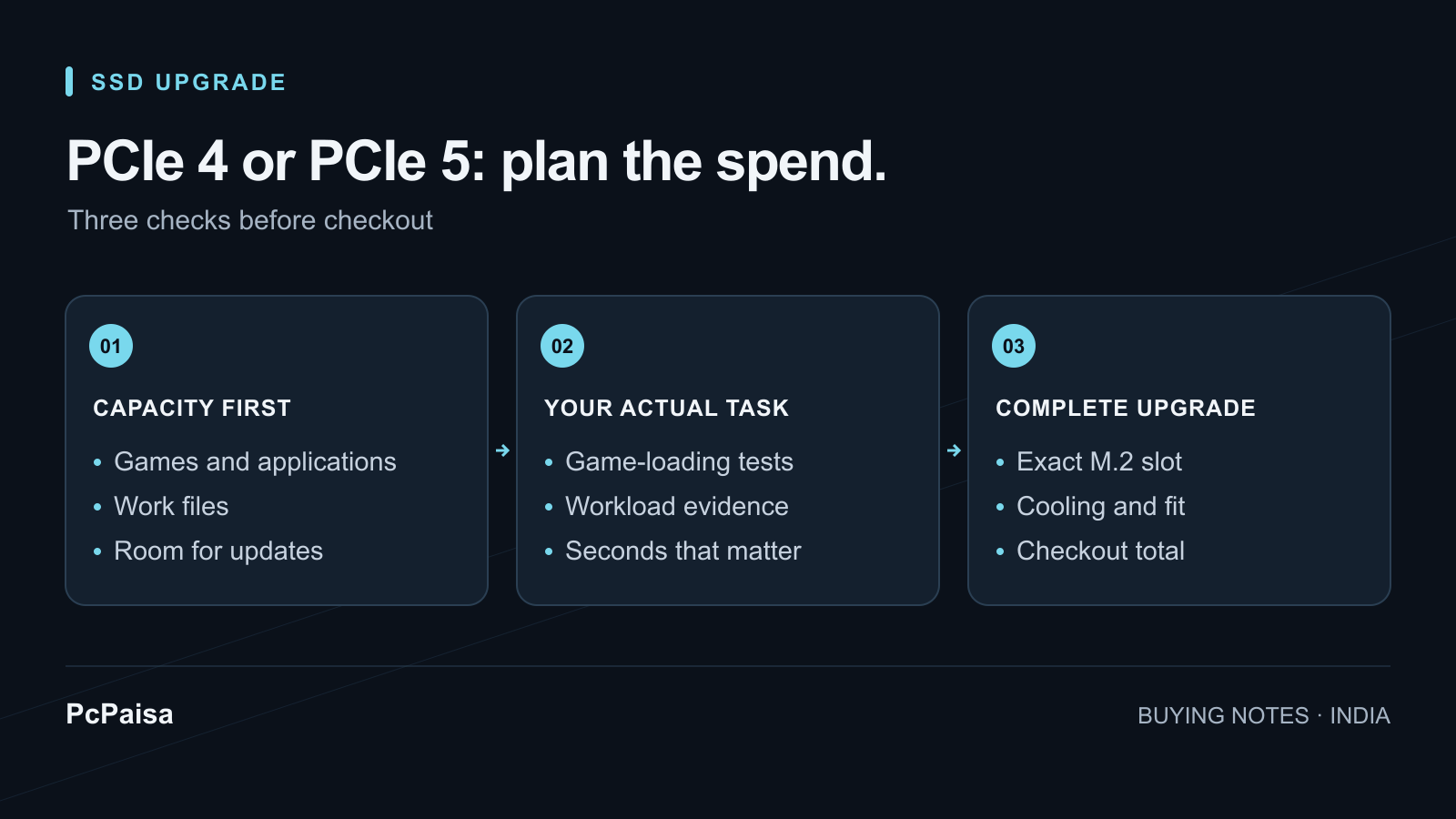
For a gaming-focused PC, our starting recommendation is enough capacity on a suitable PCIe 4 NVMe SSD. Consider PCIe 5 when you can identify a task that benefits and the extra cost fits your build. A higher sequential-speed number alone does not establish a better gaming purchase.
This is particularly useful when an Indian retailer quote puts a larger PCIe 4 drive against a smaller PCIe 5 model. Treat that as two decisions: how much space you need, and what you would pay to reduce a particular wait. Do not let the generation badge decide both.
What the Samsung specifications actually tell you
Take the 2 TB Samsung 990 PRO and 2 TB 9100 PRO as concrete examples. Samsung specifies these figures for the bare-drive versions:
| Manufacturer specification | 990 PRO 2 TB | 9100 PRO 2 TB |
|---|---|---|
| Interface | PCIe 4.0 x4 | PCIe 5.0 x4 |
| Form factor | M.2 2280 | M.2 2280 |
| Sequential read, up to | 7,450 MB/s | 14,700 MB/s |
| Sequential write, up to | 6,900 MB/s | 13,400 MB/s |
These are manufacturer ratings, not PcPaisa measurements. Samsung used different test platforms and software for the two datasheets; write ratings use its TurboWrite technology. Read the 990 PRO datasheet and 9100 PRO datasheet as specifications, not a controlled gaming comparison.
The purchase question is whether the task you care about improves enough to justify your actual premium. The table cannot answer that by itself.
What original gaming tests found
In August 2025, TechSpot/Hardware Unboxed tested TeamGroup SSDs across PCIe generations using a Ryzen 7 9800X3D, RTX 5090 and 32 GB DDR5-6000. M.2 drives used the primary CPU-connected slot; the operating system lived on a separate drive. In F1 25, all tested PCIe SSDs produced the same loading time. In The Last of Us Part II, its DirectStorage workload showed no meaningful loading difference between the PCIe NVMe drives. Original results and methodology
That is useful evidence against buying from sequential ratings alone. It is not a 990 PRO versus 9100 PRO benchmark, a guarantee for later games or a test of a nearly full system drive. PcPaisa has not performed its own SSD benchmarks.
Compare capacity before comparing the premium
Start by adding the installed sizes of the games you want to keep, Windows, applications and any recordings or work files. Leave room in your plan for the next few installations and updates. Avoid choosing a smaller drive on the assumption that you will happily uninstall something every week.
Ask the retailer for two complete quotes at the capacity you actually need. Include shipping, mandatory payment charges and any separately purchased cooling. Match the precise model and heatsink version, and confirm the invoice and applicable warranty terms for that item. A foreign review’s launch price does not establish today’s Indian checkout cost.
Then write down two numbers:
- Same-capacity premium: the PCIe 5 checkout total minus the PCIe 4 checkout total.
- Capacity alternative: what that money would buy if you kept PCIe 4 and selected a larger drive.
These are comparisons to make with current quotes, not a claim that either option is always cheaper. Browse PcPaisa’s SSD listings, then confirm the selected retailer’s checkout before paying.
When PCIe 5 deserves a closer look
If the computer also handles large work projects, ask for evidence from the actual task: importing footage, writing a long export or moving a large folder between drives. Look for an original review of the exact capacity with sustained-transfer testing and its cooling setup disclosed. A short speed-test score is not enough to price a daily workflow improvement.
If game loading is the entire reason for the upgrade, find a direct test of your game and compare seconds saved. Decide whether those seconds matter to you at the quoted cost. There is no universal percentage premium that makes PCIe 5 worthwhile.
A small premium can still be a reasonable personal choice when capacity and the rest of the build are already covered. Describe it as that choice; do not budget around an unmeasured FPS gain or assumed future requirement.
Check the slot before buying the drive
Samsung documents the 9100 PRO as backward compatible with PCIe 4.0 x4 and 3.0 x4. That does not give an older slot PCIe 5 bandwidth. Use your exact motherboard manual to establish the selected M.2 slot’s interface, supported drive dimensions, cooling arrangement and any lane-sharing conditions. Samsung compatibility note
For an existing PC with sufficient SSD capacity, require a clear benefit before replacing working storage. For a new build, put the SSD and any required accessories into the Build Planner alongside everything else. If the faster drive forces a capacity compromise or cuts into another upgrade you already need, revisit the complete purchase before paying for the larger number on the box.
Put your shortlist to work
Catch a price drop on your next PC part.
Follow our Telegram channel for selected Indian PC-part price-drop alerts from PcPaisa’s tracked price history.
Join Telegram deal alerts