M.2 storage upgrades and expansion-slot availability
Can a second M.2 SSD disable a PCIe slot? Check the motherboard's sharing table
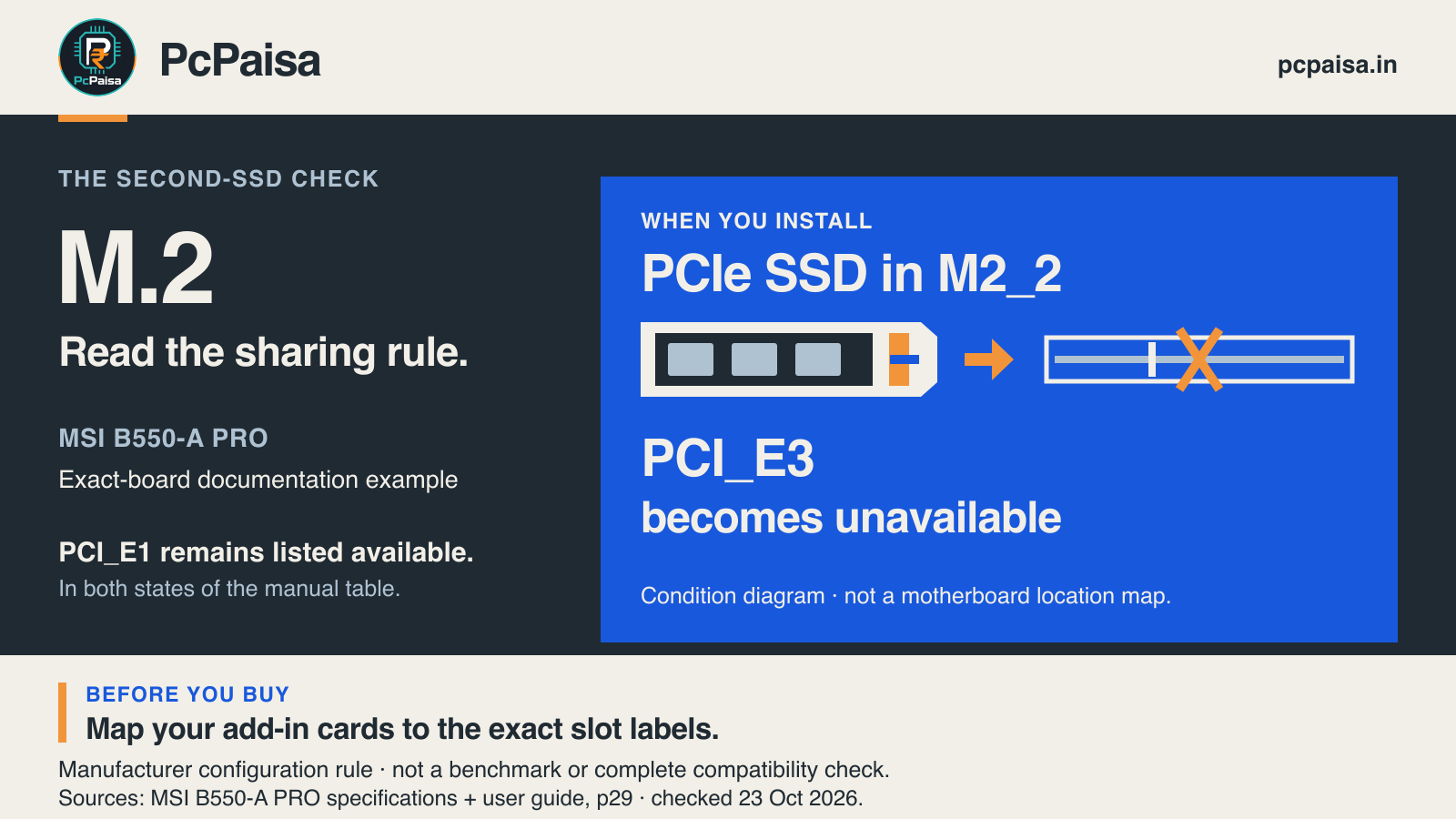
MSI's B550-A PRO documents a specific trade-off: a PCIe SSD in M2_2 makes PCI_E3 unavailable. Check occupied slots before buying a second SSD.
Yes, on some motherboards. A spare M.2 connector does not by itself establish which other slots remain usable after you populate it. The useful question is: what is already installed, and what does this exact board’s combination table permit?
Take MSI’s B550-A PRO as a documented example. Its specification says that installing a PCIe SSD in M2_2 makes PCI_E3 unavailable. That is a named slot restriction, not a statement that every graphics card or every second SSD stops working. MSI B550-A PRO specifications, expansion-slot footnote
Read the slot names before diagnosing the component
The board’s user guide distinguishes the CPU-connected PCI_E1 from the chipset-connected PCI_E3. The product specification describes PCI_E3 as a physically x16 slot operating at up to x4. A long connector is therefore not enough to identify its electrical capability or its sharing rule.
For a single PCIe x16 expansion card, MSI’s guide recommends PCI_E1. Its combination table also keeps PCI_E1 available in both states below. MSI user guide, page 29
| B550-A PRO configuration | PCI_E3 | PCI_E1 |
|---|---|---|
| M2_2 empty | Listed available | Listed available |
| PCIe SSD installed in M2_2 | Listed unavailable | Listed available |
This is a shortened reading of the manufacturer’s table. “Available” here describes that table’s slot state; it does not certify a particular card, CPU, BIOS or complete build. The guide’s diagram on page 26 identifies the physical slot labels. Use it to map your actual hardware before deciding what to move.
A real upgrade question shows why placement matters
In a 6 December 2023 r/PcBuild question, a builder reported a graphics card in PCI_E3 and asked about adding a second M.2 drive. The important detail was the occupied slot, not just the GPU model.
That is one historical, self-reported setup, not a measured fault or evidence of how common the issue is. A separate MSI FAQ, updated 16 March 2021, discusses a network card in PCI_E3 alongside two PCIe M.2 drives. MSI attributes that slot’s unavailability to the same documented condition. Different add-in cards can encounter the same slot restriction.
Neither source proves that a newly missing drive or card has this cause. An observed fault still needs diagnosis against the exact installed configuration.
Make a five-line upgrade record
Before paying for another drive or signing off a PC-shop upgrade, write down:
| Record | What you need |
|---|---|
| Exact motherboard | Full model; match any applicable revision and manual |
| Occupied storage slots | Connector labels, drive interface and exact drive models |
| Occupied expansion slots | Each card’s actual PCI_E label |
| Sharing condition | The manual’s named trigger and affected connector |
| Accepted trade-off | Whether the affected slot is needed now or for a planned card |
Ask the assembler to show the relevant manual page with the quote. A statement such as “two M.2 slots” leaves the planned expansion configuration unanswered.
Do not buy an adapter or move a card simply because it fits. Check the new slot’s documented interface, lane capability, sharing conditions and physical clearance against the card’s requirements. Follow the manufacturer’s power-off and installation instructions when making a change.
Does this make a second M.2 drive a bad upgrade?
No. If you do not need PCI_E3, this particular restriction alone need not prevent using M2_2. The decision changes when the affected connector holds a required card or is reserved for a later one.
The B550-A PRO’s M2_2 specification is PCIe 3.0 x4. Check the intended drive’s interface and requirements separately; this example does not certify an arbitrary M.2 drive. Other motherboard models can use different sharing arrangements, so carry the checking method to the next board rather than copying this rule.
Primary documentation checked on 23 October 2026. No hardware test, measured performance, current price, stock claim or complete system-compatibility recommendation is asserted.
Put your shortlist to work
Catch a price drop on your next PC part.
Follow our Telegram channel for selected Indian PC-part price-drop alerts from PcPaisa’s tracked price history.
Join Telegram deal alerts